
Fight Your Zombie Guides
From first brain harvest to Void prestige — every mechanic explained with links, FAQs, and video walkthroughs.
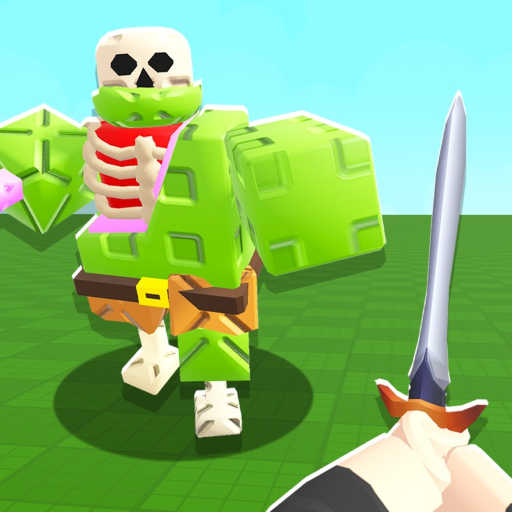
Fight Your Zombie by Simple Bricks Zombies is a Roblox incremental simulator built around a satisfying loop: grow brains in tanks, feed your plot zombie, fight it for coins, invest in upgrades and machines, and eventually prestige into the Void for long-term multipliers. The game launched on 21 January 2026 and supports offline brain growth, so planning your logout matters as much as active clicking. Recurring live-ops include 2x luck weeks and Saturday ~3PM GMT update windows — track them on Updates Hub, Changelog, and Events 2x Luck.
This Guides Hub collects every in-depth tutorial on the wiki. Each child page targets 600+ words of practical advice with internal links, FAQs, and (where noted) one embedded YouTube walkthrough mid-article. If you are brand new, start with Getting Started and Controls before specialized topics.
Core progression guides
These pages cover systems you touch every session:
- Getting Started — day-one checklist, core loop, and first prestige goal.
- Controls — PC and mobile inputs for feed, fight, tanks, shop, and prestige menus.
- Brain Tanks — Normal, Shiny, and Rainbow output; placement; offline yield.
- Upgrade Order — why zombie upgrades beat weapons early, and when to pivot.
- Prestige and Void — reset timing, badge levels 1–7+, and Void scaling.
Together they mirror the consensus route: stabilize coin income, scale brain production, then push prestige layers for exponential returns.
Combat, movement, and rarity
- Walking Zombies — roaming NPCs vs your plot zombie; when map content matters.
- Shiny and Rainbow Brains — proc rates, feed value, luck-week hoarding.
Do not confuse optional walking zombies with the plot loop — Scripts Hub overstates map farms for core progression.
Machines, luck, and bonus brains
Mid-game bottlenecks shift to automation and variance:
- Machines Guide — starter tools, advanced farms, synthesizers, and Brain Melter.
- How to Get Lucky Block — acquisition routes and hoarding before 2x luck.
- Lucky Blocks — reward tables, opening timing, and event spikes.
- Free Brain Guide — legitimate brain boosts without fake codes.
Cross-reference Machine Tier List and Upgrade Priority when choosing the next hour of grinding.
What this hub does not duplicate
Sibling categories hold complementary topics:
- Codes Hub and Fake Codes — no active promos; Hunty Zombie scam patterns.
- Game Passes — OP Auto Clicker (149 R$), VIP (599 R$), Super Sword (999 R$), Super Machine (999 R$).
- Updates Hub, Changelog, Events 2x Luck.
- Offline Planner and Upgrade Calculator — session math.
- Scripts Hub and Scripts Safety — risks vs official passes.
Recommended reading order
| Order | Guide | Stage |
|---|---|---|
| 1 | Getting Started | First hour |
| 2 | Controls | First hour |
| 3 | Brain Tanks | First day |
| 4 | Upgrade Order | First day |
| 5 | Prestige and Void | When progress slows |
| 6 | Walking Zombies | When events spawn map content |
| 7 | Machines | Mid-game automation |
| 8 | Shiny Rainbow Brains | Mid-game rarity planning |
| 9 | How to Get Lucky Block | Before luck weeks |
| 10 | Lucky Blocks | During 2x luck |
| 11 | Free Brain | Any time tanks feel slow |
Keeping guides current
Simple Bricks Zombies ships frequent tweaks — new machines, Admin Abuse Saturdays, economy passes. We update child guides when Changelog confirms a change. If a mechanic feels different in-game, check the relevant guide FAQ and Official Links Discord before assuming your build is wrong.
Bookmark this hub. Fake code lists will not speed you up — structured progression through these guides will.
Frequently Asked Questions
Quick answers to the most common questions.
Which guide should I read first?
Getting Started, then Controls and Brain Tanks. Upgrade Order covers your first day spend path.
Do guides include videos?
Key guides embed one YouTube walkthrough each via youtubeId. Hubs link to child pages instead of duplicating videos.
Are codes required to follow these guides?
No. Fight Your Zombie has no redemption system yet. See Fake Codes for scam warnings.
What is the difference between walking and plot zombies?
Plot zombie is your main coin loop on your base. Walking zombies are optional map NPCs — see Walking Zombies guide.
Where is the endgame loop explained?
Prestige and Void covers resets and badge levels. Pair with Changelog and Events 2x Luck for timing.